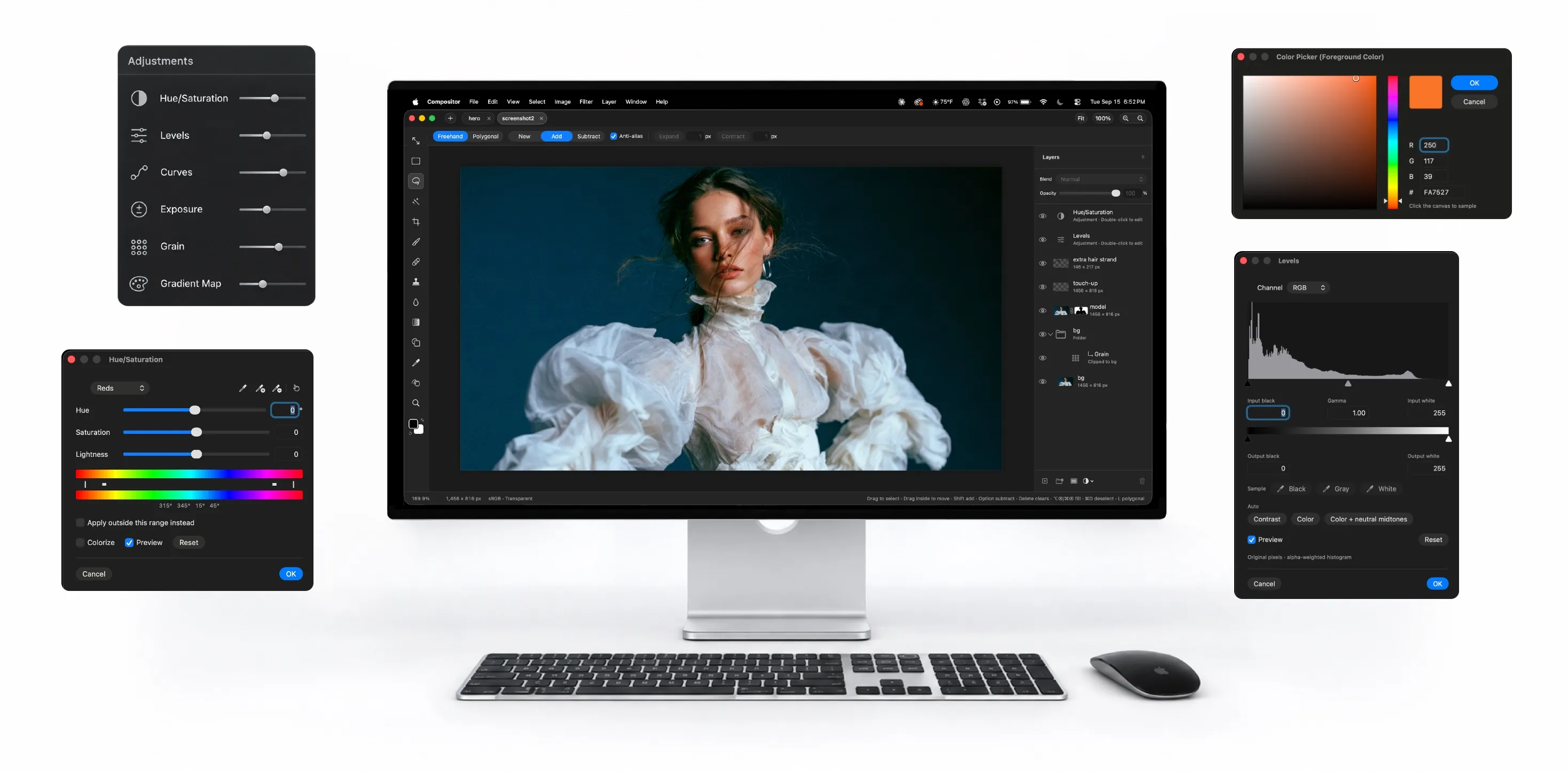
A Photoshop-shaped image editor for the Mac that costs nothing, weighs 8 MB, and was built by one designer to cancel his own subscription.
Robbie Tilton is a product designer — two years on Apple’s Human Interface team, then six freelancing for startups — and his reason for building Compositor is one sentence on its site: “Adobe Photoshop costs too much and tools like GIMP don’t feel familiar enough for me to stay in flow.” He uses Photoshop for compositing and post-processing, so that is the workflow Compositor is built around, and having built it for himself he released it free, MIT-licensed, with the Xcode project on GitHub for anyone who wants to add or remove a feature.
The feature list is not a lite version. Layers and folders with blend modes, and a folder’s own opacity that dims everything inside it; layer masks you can paint, blur and feather; clipping masks; adjustment layers for Hue/Saturation, Levels, Curves, Exposure, Gradient Map and Grain; layer effects — stroke, drop shadow, glows — rendered on the GPU and editable later. Transforms are non-destructive, so an image scaled down keeps its full resolution. Selections run from marquee and lasso to a Magic tool with two modes (Wand selects by colour, Object traces whatever you click), Select Subject, and a Content-Aware Fill that can also extend an image past its edges. Spot Healing, Clone Stamp, editable shapes and gradients, a Type tool, rulers, guides and snapping. The keyboard shortcuts are Photoshop’s, and remappable.
Then there is the pace. Version 1.0 shipped on 16 September; six days later the app is on its seventeenth release. 1.2.0 on 21 September added Photoshop file import — layers, folders, masks, clipping and fill shapes come in editable, text and other vectors become pixels, and a conversion report is shown before anything is applied. 1.2.1, the same evening, opens camera RAW files from Canon, Nikon, Sony, Fujifilm and DNG through a develop sheet. 1.2.2, released tonight, adds ten more blend modes. GitHub counted 4,500 stars in that week.
The limits are stated plainly. It needs macOS 26.5 or later, so an older Mac is out. PSD import is 8-bit RGB only — no PSB, no CMYK — which rules out print work. The README lists JPEG as the export format. And an app six days old that ships two or three times a day is an app still finding its bugs, even with signed, notarized automatic updates to deliver the fixes. The Hacker News post got four points and no comments; the app spread from Tilton’s own video on X and from OSXDaily’s write-up — which is to say, from people seeing it move.