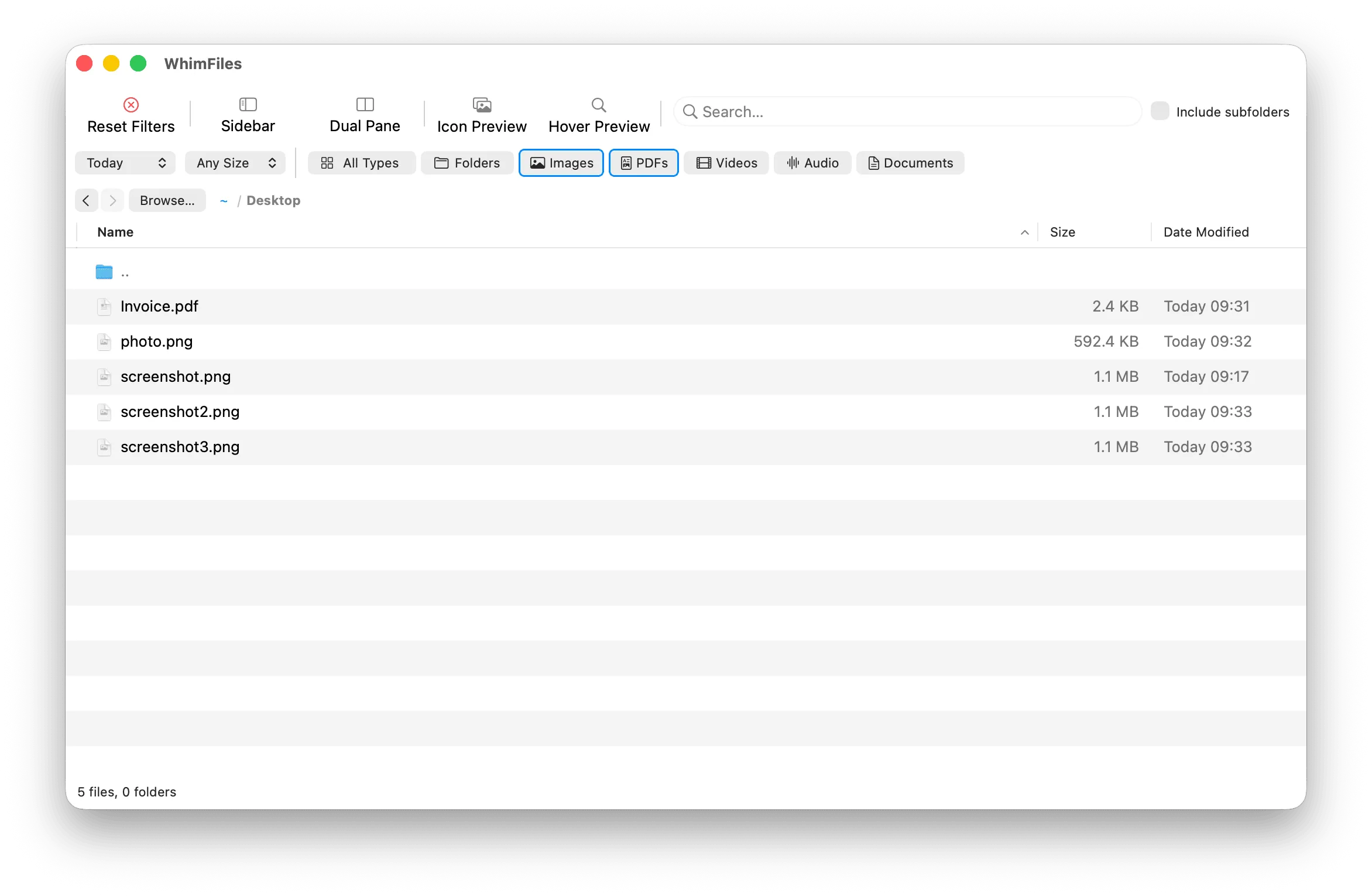
Filtering, front and center: narrow a folder by type, date, and size as you type rather than digging through it.
WhimFiles is a native macOS file manager that reorganizes the whole job around finding rather than clicking: filter a folder live by type, date, and size, or fuzzy-jump to any path by typing a few letters — all in a roughly 9 MB app with none of the heft the genre usually carries.
Finder makes you navigate; WhimFiles makes you search. Its core moves are a live filter that narrows a folder by type, date, and size as you type, and a “Fuzzy Go to Folder” box that jumps you to any path from a few characters — the same search-first instinct keyboard-driven people already use in their editors, applied to the whole disk. The find that surfaced it framed it as simply a fuzzy-find file manager, which undersells what’s actually here.
Underneath the search-first framing it’s a complete, modern file manager: dual-pane and tabbed browsing, hover previews for images and PDFs, batch rename with a live preview of the result, recursive folder search, a command palette (⇧⌘A), a bookmarks-and-volumes sidebar, undo for moves and trashing, and even built-in HEIC/WebP/AVIF conversion. That is a lot of surface for an app that weighs about nine megabytes.
That size is the other half of the pitch. The developer, WhimByte, bills it plainly as “Native macOS · App size only around 9 MB” — a pointed contrast with the cross-platform, Electron-descended file browsers that can run to hundreds of megabytes while doing less. Being native also shows up as feel: filtering and previews land immediately rather than after a beat of lag.
The terms are a one-time $19.99 launch price (regular $24.99), with a 30-day trial and no credit card up front — “pay once, use forever, no subscription.” The honest limits are worth stating plainly: it’s Apple Silicon only (macOS 12 or later), sold as a direct download rather than through the Mac App Store, and new enough that it doesn’t publish a version history yet — an early, keyboard-first Finder alternative rather than a long-proven one.