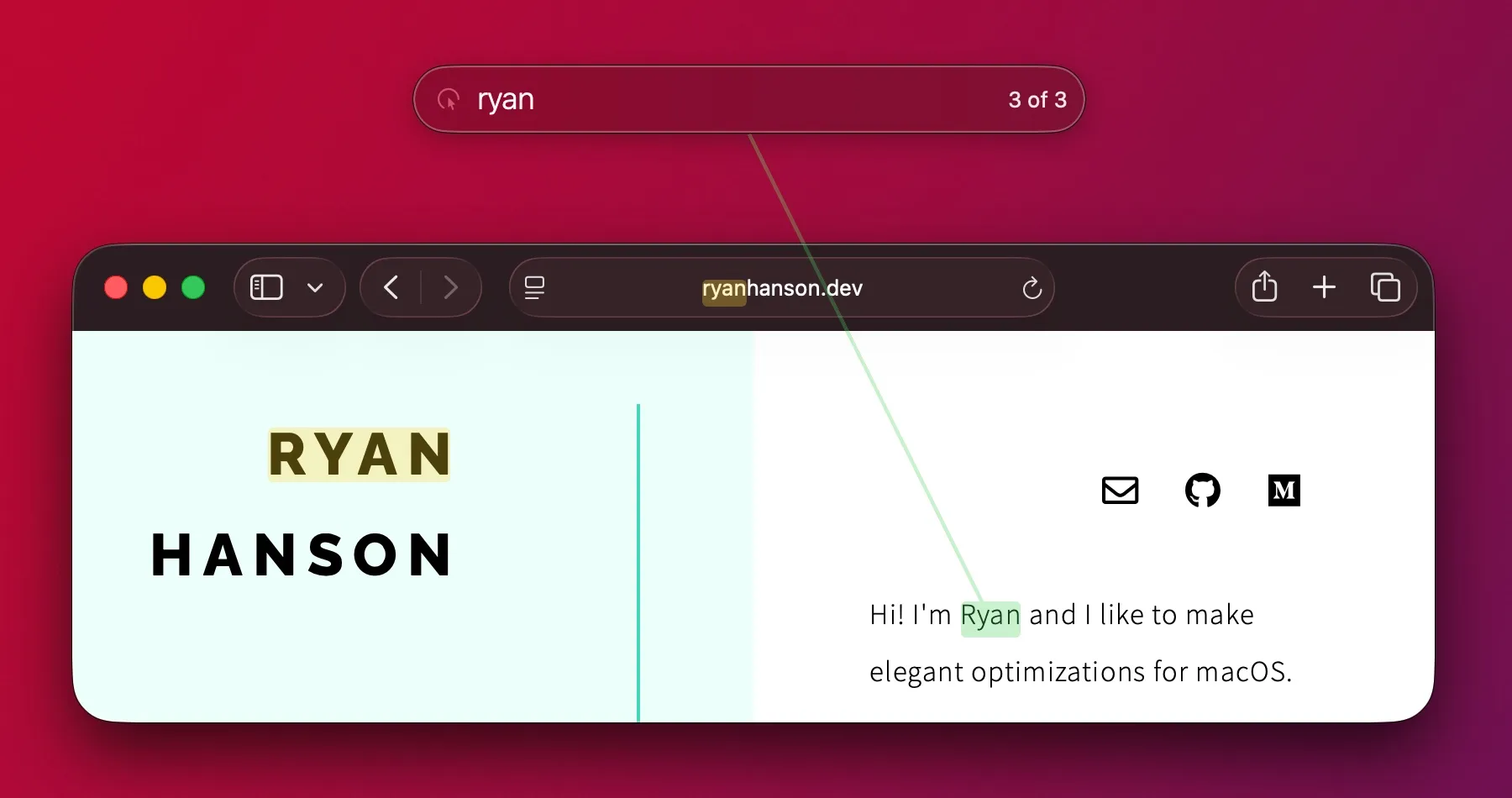
An OCR-driven click target for the Mac. Trigger a search, say or type the name of any visible label, and Superkey clicks it — no shortcut needed, no accessibility tree required.
Most Mac keyboard tools work off the macOS accessibility tree. Homerow drops a two-letter label on every element the system marks clickable; Wooshy maps every focusable item. The catch is that plenty of clickable things — canvas-rendered widgets, Electron apps without proper a11y, embedded web views, custom controls — slip out of that tree entirely. You can see the button. Your keyboard tool can’t.
Superkey solves that by skipping the tree. When you trigger Seek, it OCRs whatever’s currently on screen, indexes the visible text, and lets you find any label by name. Type submit, or say it; Superkey draws a guide to the match and clicks. Works inside Figma, inside web games, inside the half-broken third-party apps that have made the rest of your workflow keyboardable.
Trade-offs are honest: OCR runs per trigger, so there’s a beat of latency before the search overlay appears; heavily stylized text — gradient logos, texture-baked labels — sometimes doesn’t read; and like every Mac power-user tool from this corner, it’s a subscription. Brett Terpstra calls it the missing piece of his all-keyboard workflow, and that’s exactly the right framing — Superkey doesn’t replace Homerow or Keyboard Maestro, it patches the holes they leave.