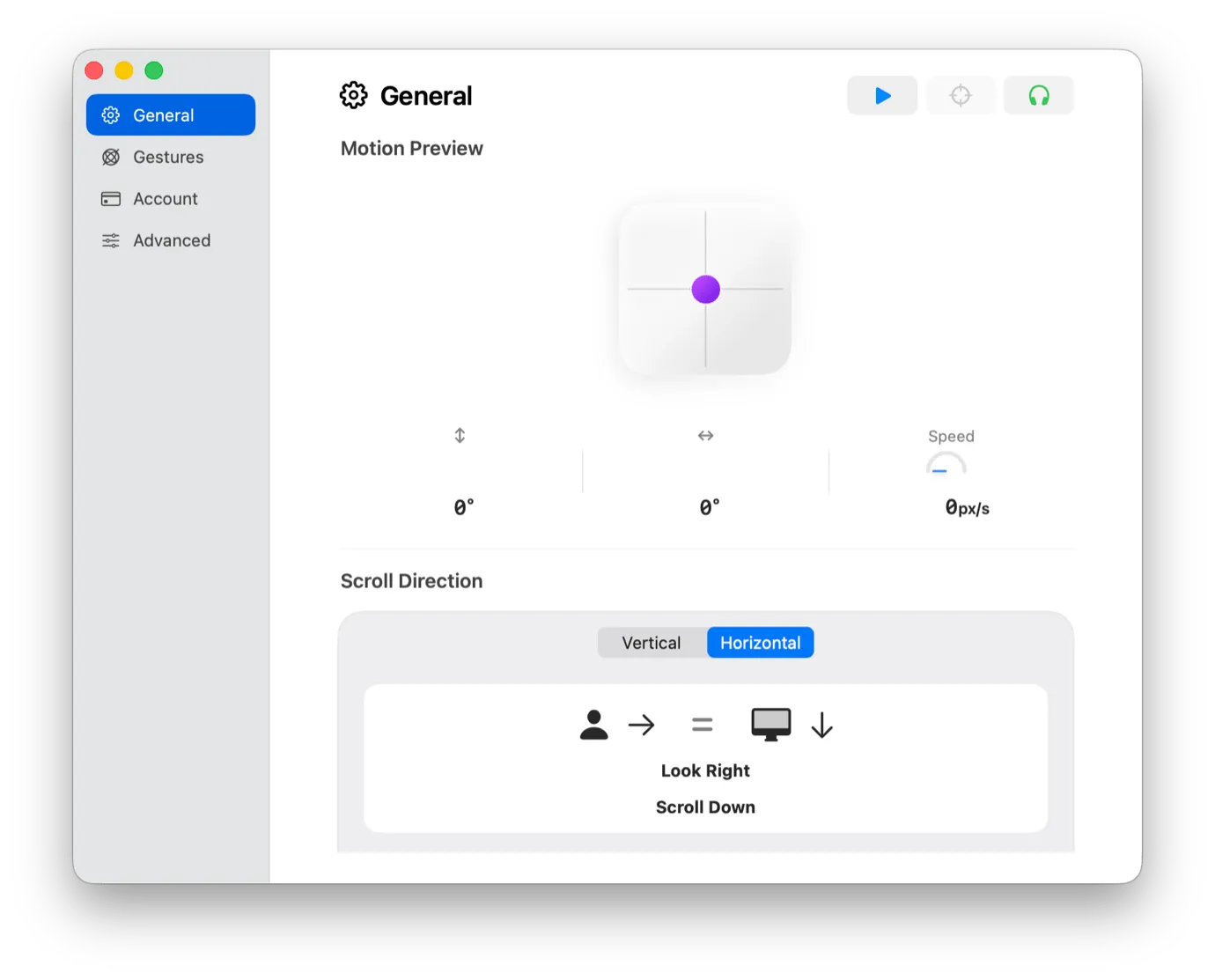
A free menu-bar app that reads the motion sensors already built into AirPods and turns a small head tilt into a scroll — vertical or horizontal, sensitivity and calibration adjustable, no account or subscription attached.
AirPods 3rd-generation and later, AirPods Pro, AirPods Max, and Beats Fit Pro all carry the same head-tracking hardware Apple built for spatial audio. ScrollPods repurposes it: tilt your head gently up or down (or left or right, in horizontal mode) and the window under your mouse pointer scrolls at a speed keyed to the angle. It lives in the menu bar, needs no sign-up, and is free with no in-app purchases.
The use case is narrower than “replace your trackpad” and better for it — reading long documents, PDFs, or web pages hands-free, whether your hands are full, resting, or just tired of the repetitive motion. A calibration step and a live motion-preview graph (tilt in degrees, speed in pixels per second) tune it to how far you naturally move your head, and an optional side-tilt gesture lets you stop scrolling without reaching for the trackpad at all.
One correction to how this reads on paper: ScrollPods doesn’t track keyboard focus, it tracks the mouse pointer — move the pointer over the window or panel you want to scroll and tilt, regardless of which app is actually focused. That’s a deliberate design choice (it means you can keep typing in one window while reading another) but it’s worth knowing going in, since a head tilt over the wrong pane does nothing. The app also needs Accessibility and Input Monitoring permission to send scroll events, which is normal for anything that acts as an input device but is a real macOS prompt to click through. Long PDFs and spreadsheets can overshoot on a larger tilt — dial down sensitivity or turn on Continuous Scroll in Preview if that happens — and AirPods have to be actively paired to the Mac itself, not simultaneously connected to an iPhone or iPad, since macOS otherwise never sees the motion data.
It’s a young app — macOS 14 or later, CPU load under 5% at idle — but not an abandoned one: the changelog already shows fixes for specific macOS point releases, which is a better sign for a one-person utility than a polished launch page alone.