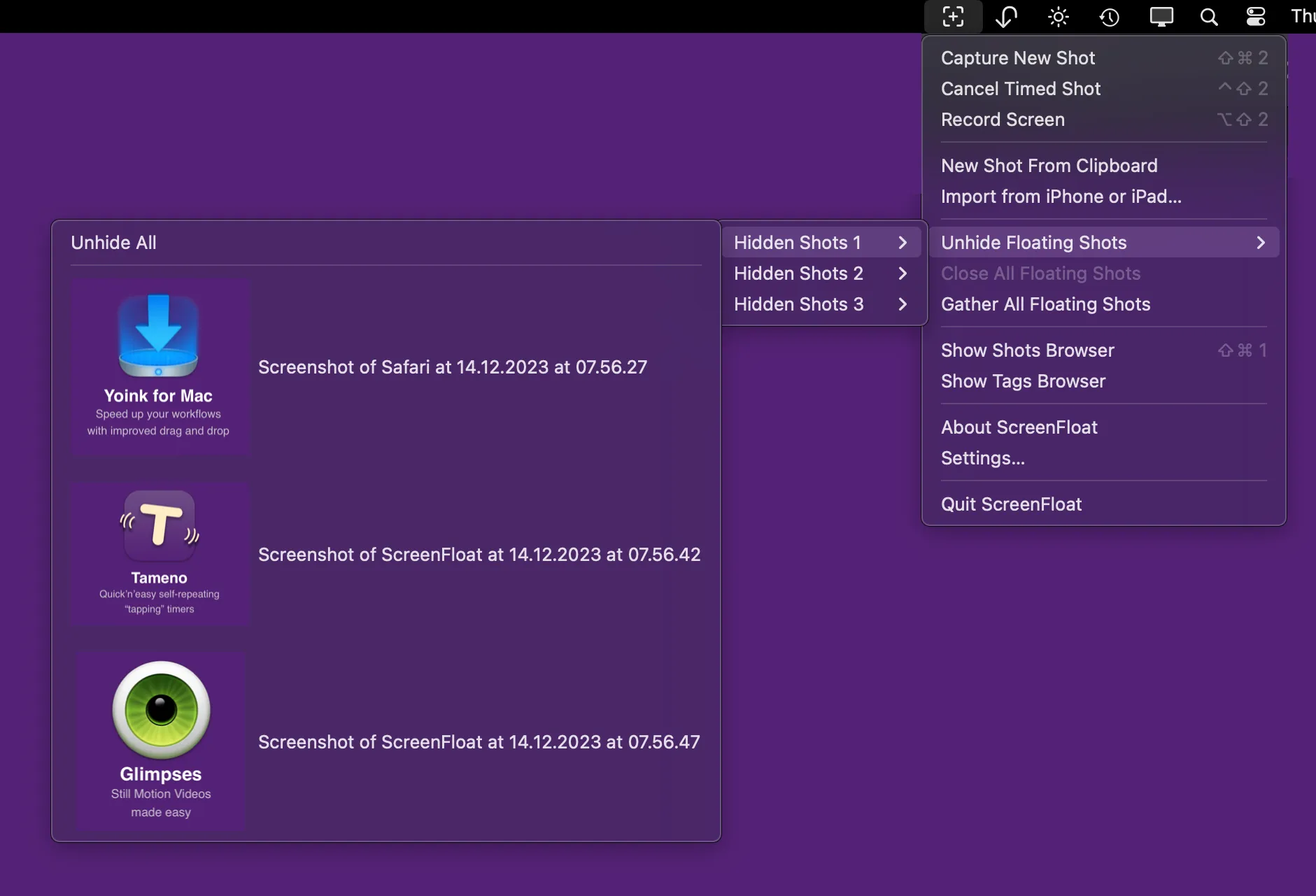
A ScreenFloat capture doesn’t land in a folder — it floats above whatever you do next, tagging along across full-screen apps and different Spaces, so a reference shot stays in view instead of getting buried behind the window you switched to.
Every capture opens as its own small floating window, pinned above everything else until you close it, hide it, or file it into the Shots Browser. The menu bar item tracks whatever’s currently floating and can gather, hide, or unhide them in bulk — useful once you’ve got a half-dozen reference shots stacked on the desktop and need the clutter gone without losing track of any of them.
The Shots Browser is where captures actually live: a searchable, taggable library with star ratings, favorites, and smart folders that filter by rules like “contains barcodes” or “shot is floating.” It syncs across Macs over iCloud and indexes into Spotlight, so a screenshot from six months ago on a different machine turns up in a system-wide search. Beyond stills, ScreenFloat records the screen with system and mic audio, exports GIFs, and trims recordings by dragging edit markers placed while recording.
The feature worth the price of admission is detection: ScreenFloat finds faces, barcodes, and recognized text in a shot and lets you redact any of them non-destructively — the redaction lifts back off later if you change your mind — or copy out an email address, phone number, or link it noticed without retyping it. It’s not foolproof: the redaction panel ships with a confidence slider that trades false positives for misses, so a shot with fine print or an ID card at an angle is worth a second look, not blind trust in the auto-redact.
ScreenFloat is a one-time purchase — $17.99 direct from Eternal Storms or on the Mac App Store, with a free 28-day trial either way, and it’s also in Setapp’s subscription catalog. It needs macOS 12.3 Monterey, though a few features want Ventura or later. Version 2.3.9, out this week, is a hotfix for a crash the previous release introduced when exporting shots.