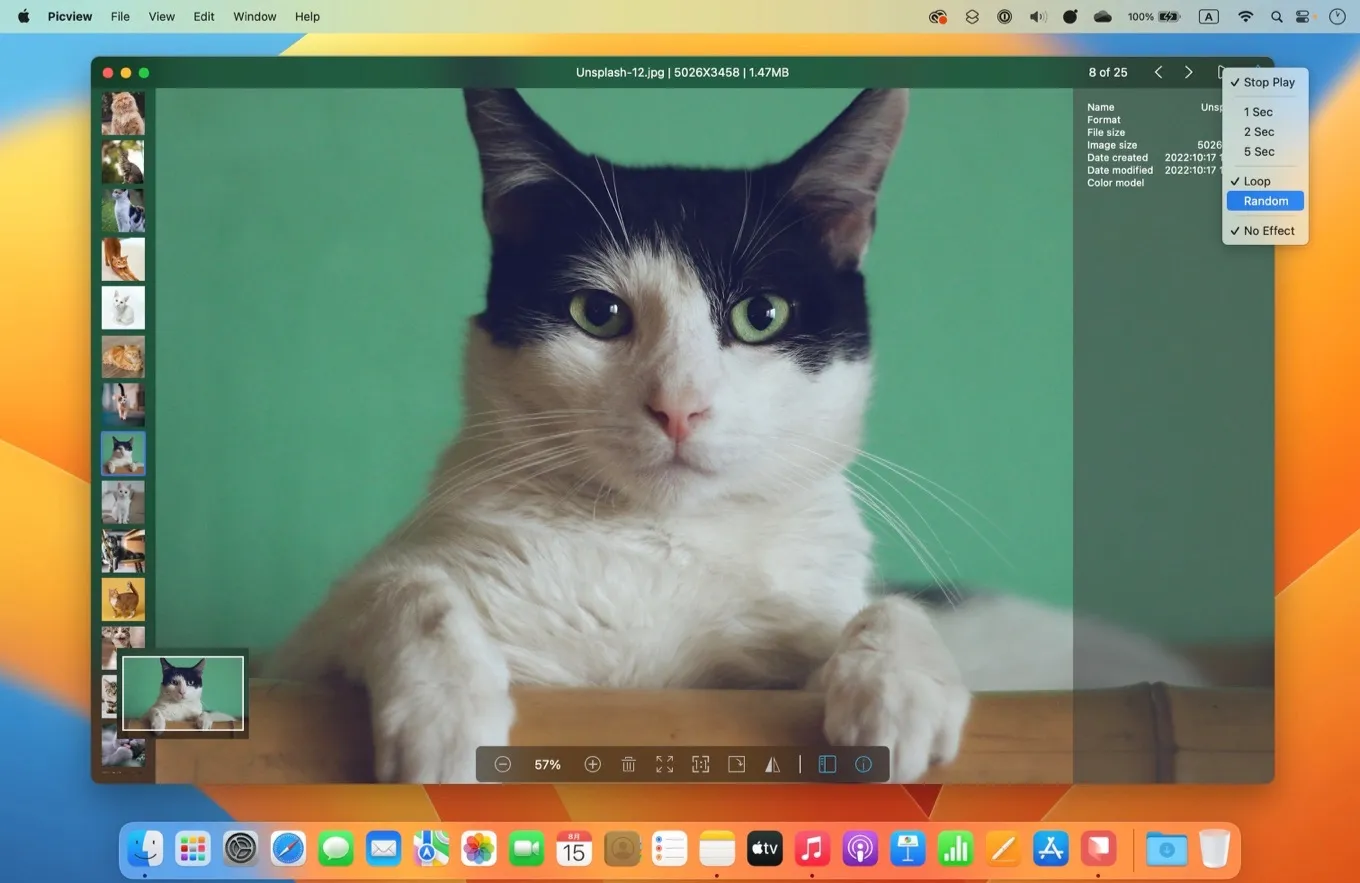
Browsing, not editing: a filmstrip, an info panel, and floating windows — the parts of Preview you actually use when you just want to look.
Picview is a native Mac image viewer that strips the job down to the parts you actually use to browse pictures — arrow keys to move, the scroll wheel to zoom, a floating window to pin a reference beside your work — so it opens and moves faster than Preview’s do-everything interface, and quietly adds OCR you can select and copy straight out of any image.
Preview is a capable editor that happens to also show images, and you feel the difference every time you just want to flip through a folder. Picview inverts the priorities: it’s a viewer first, built to get an image on screen instantly and let you move through a directory with nothing but the arrow keys, zooming with the scroll wheel the way you’d expect. It’s the kind of tool whose value is entirely in friction removed — the two seconds it saves per image, multiplied across every time you reach for it.
The feature that earns it a place beyond “faster Preview” is Pin & Paste: any image can become a small always-on-top window floating over whatever you’re doing, so a reference screenshot or a color swatch stays visible next to your real work instead of buried behind it. Combined with broad format support — JPG, HEIC, PSD, WEBP, GIF, and camera RAW formats like CR3 and NEF, 30-plus in all — it quietly replaces a handful of one-off utilities photographers and designers keep around.
Then there’s the OCR, which is the genuinely delightful bit: point Picview at a screenshot or a photo of a sign and you can select the text inside the image and copy it out, no separate app, no upload. It’s the kind of feature you forget you wanted until the first time a phone number or an error message is trapped in a JPEG and you just… highlight it.
Two honest caveats. The headline OCR needs macOS 13 or later, and the newer subject/object extraction needs macOS 14 — both above the app’s own stated minimum (macOS 11.5 on the direct download, 12.0 on the App Store), so on an older-but-supported Mac the marquee feature simply won’t appear. And Picview ships through two channels — the Mac App Store and a direct download from the developer’s site — that are functionally identical but whose licenses don’t transfer between them, so pick one and stick with it. Pricing is friendly: free to download and use for core viewing, with a Pro unlock at $12.99 lifetime (or $4.99 a year if you’d rather), and no account required either way.
It comes from Zhiquan Kong, an indie developer with a small cluster of focused Mac utilities and a genuinely fast update cadence — version 1.5.7 landed the same week we looked. For anyone who opens more images than they edit, it’s the rare replacement that’s lighter than the thing it replaces and still does more.