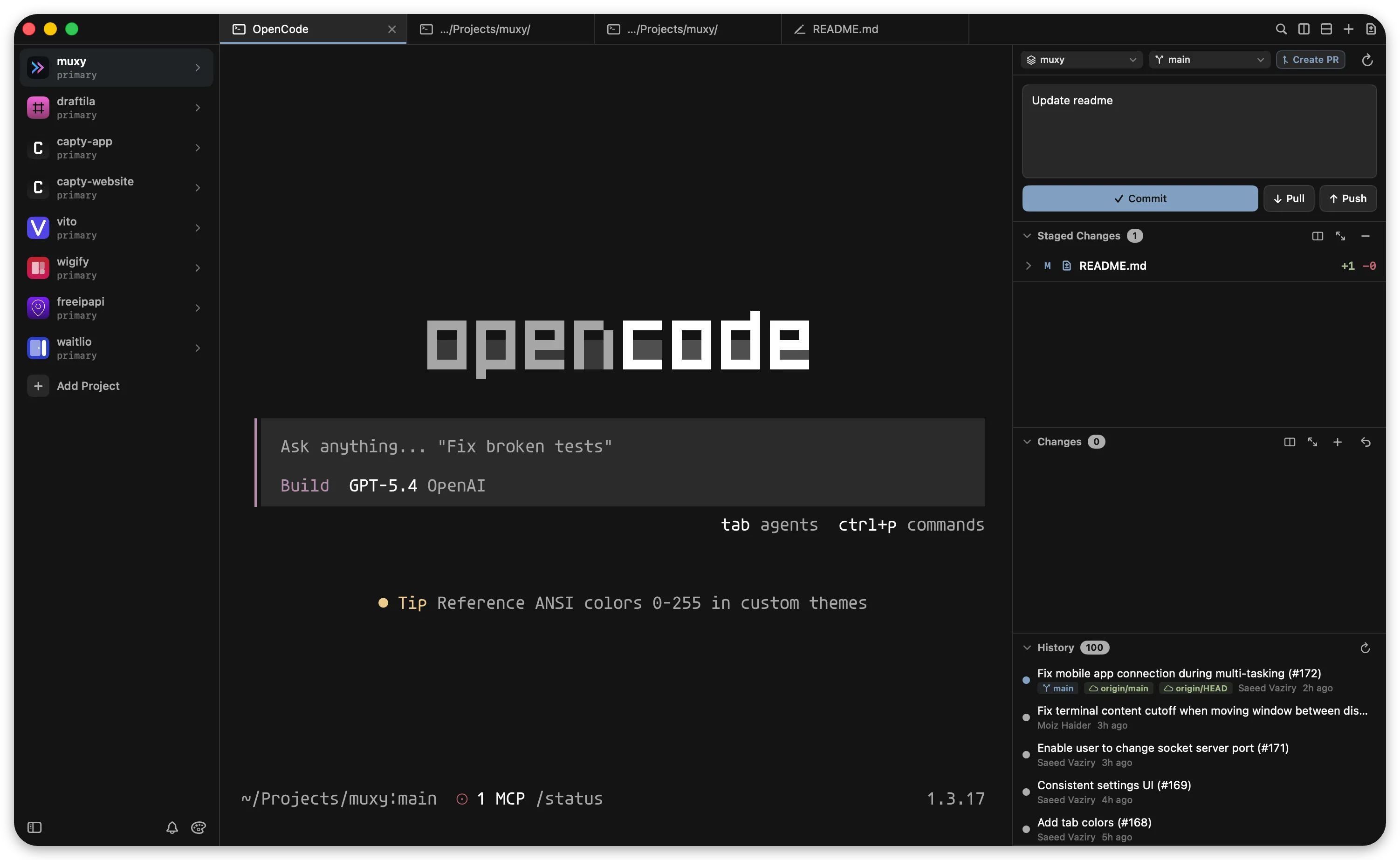
Terminal at the centre; Git, diff, file tree, and editor all native around it.
Muxy is not “a terminal with a sidebar,” which is how the original Reddit post (and our find capture) sold it. It’s a native SwiftUI workspace built around the terminal: vertical tabs, split panes, built-in Git tooling, file tree, command palette, markdown preview, 490 themes, plus iOS and Android companion apps for remote command execution. MIT-licensed, free,
brew install --cask muxy.
The Muxy README lists thirty-plus features — vertical tabs and split panes, built-in Git (status, diff, branches, PRs, worktrees), a unified-or-split diff viewer, file tree, find-in-files, quick-open, command palette, syntax-highlighted text editor, markdown/HTML preview with Mermaid diagrams, image viewer, AI-usage tracking, rich input with image attachments and voice input, 490+ themes, 60+ customisable shortcuts. Underneath it all is libghostty, which makes the terminal itself fast and well-coloured.
Two things make this genuinely native in a way other “VS Code replacements” aren’t. First, it’s SwiftUI all the way down — Swift 6, no Electron — which on a Mac means millisecond launch, real scroll behaviour, and battery use that doesn’t peg a fan. Second, the mobile companion: the iOS app (also called Muxy) pairs over the network and lets you kick off commands, watch output, and approve interactive prompts from your phone. For long-running builds, deploys, or model training jobs, you don’t need to keep the laptop awake — and for agentic workflows where the agent wants to run something risky, you can be in the next room approving from your phone.
The honest framing: this is one developer’s still-early effort to build a real SwiftUI dev environment from scratch. The polish is uneven in places; some VS Code muscle memory won’t transfer cleanly (extension API is still small). But the integration is the cleanest native-Mac terminal-plus-editor combination shipping today, and the trajectory is the right shape. macOS 14+; open source MIT; available via Homebrew or direct GitHub release.