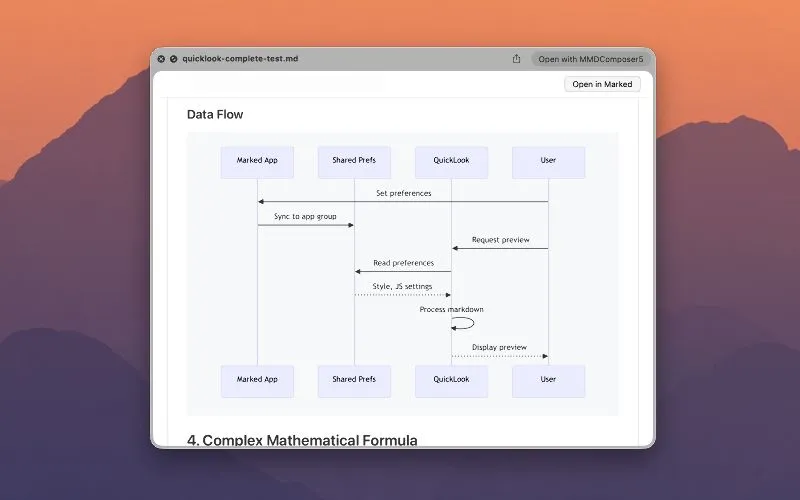
A Mermaid sequence diagram, rendered straight in Quick Look — spacebar in Finder, no app opens.
A macOS Quick Look extension that turns the Finder spacebar into a full Markdown renderer — diagrams, math, and syntax-highlighted code included — without opening an editor.
Quick Look’s default handling of .md files is minimal: press spacebar in Finder and you mostly get plain text, hashes and asterisks and all. Marked QL replaces that with a real render — headings, tables, footnotes, task lists, and callouts appear formatted, the same document a Markdown editor would show, but from a keystroke in Finder with nothing launching. It understands CommonMark, GitHub Flavored Markdown, MultiMarkdown, and Kramdown, so it doesn’t matter which dialect a given file was written in.
The two features worth calling out specifically: MathJax for inline and display math ($e^{i\pi} + 1 = 0$ renders as an actual equation, not literal dollar signs and carets), and Mermaid for diagrams — flowcharts, sequence diagrams, the works — drawn inline in the preview, as in the screenshot above. Syntax-highlighted code blocks round out the set. For anyone who reads a lot of READMEs, spec docs, or notes with embedded diagrams, that’s a meaningfully richer preview than Finder ships with.
It also works from Terminal: because Quick Look previews are driven by the same system service, wiring qlmanage -p to a file gives the identical rendered preview without a GUI Finder window at all — useful for anyone who lives at the command line and wants a one-off render without opening an editor.
Marked QL is made by Brett Terpstra, the developer behind Marked 3 (the full editor-companion app with live preview, proofreading, and export) — but it’s standalone. It doesn’t require Marked 3 or any other purchase, and it isn’t a demo for the bigger app. It’s a preview-only tool: no editing, no live reload as you type, just a better Quick Look. It requires macOS 13 or later and is sold exclusively through the Mac App Store for $4.99, a one-time purchase with no subscription.