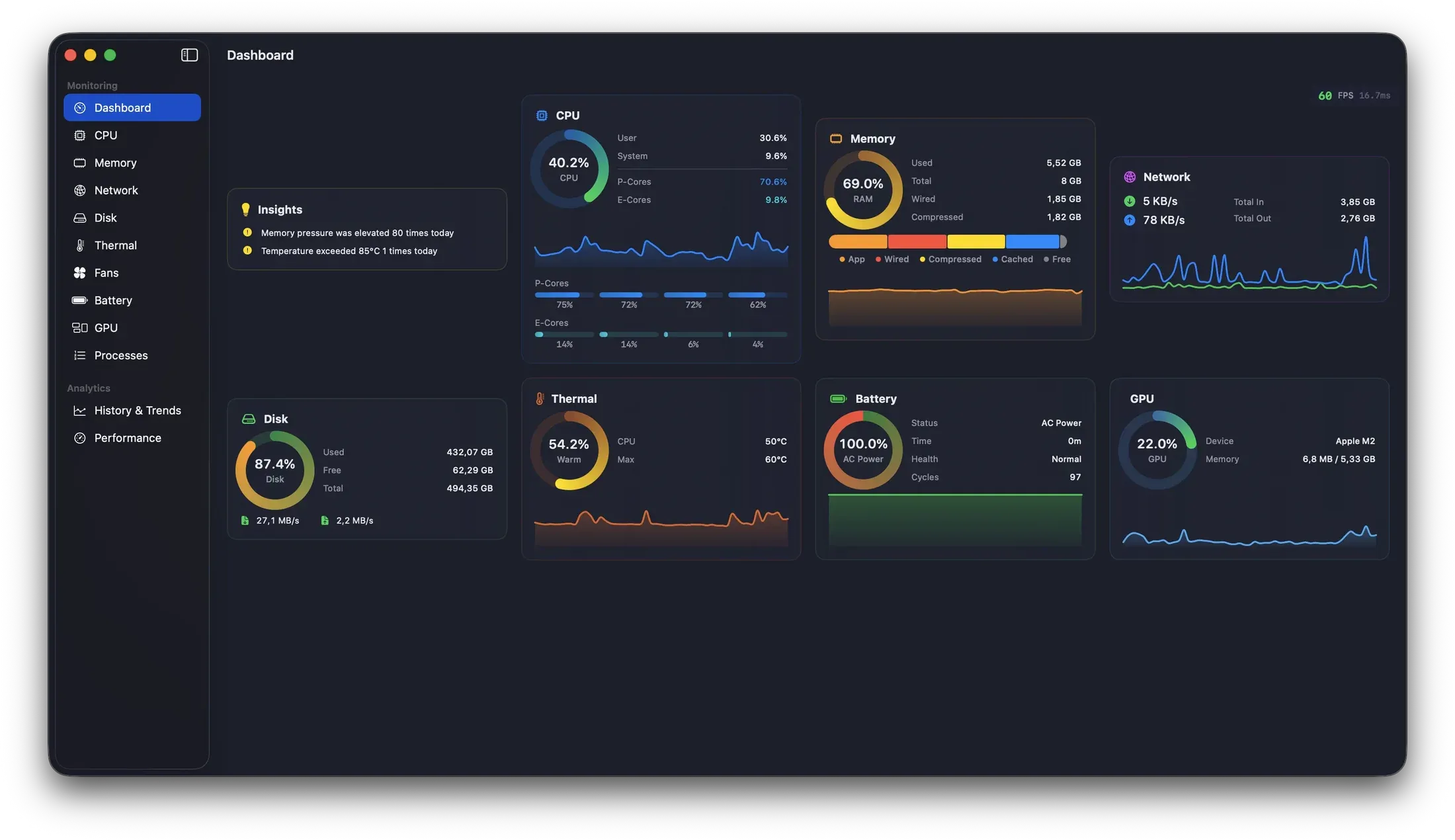
MacPulse reads the machine and then explains it in words, not just graphs.
A system monitor that does the two things Activity Monitor never has: it explains what it finds in plain English, and it lets you ask it questions — “which app drained my battery today?” — answered entirely on-device by Apple Intelligence, with nothing leaving your Mac.
Under the conversational layer, MacPulse is a thorough monitor. It watches CPU with a per-core P/E-core breakdown, memory composition and pressure, network throughput and addresses, disk usage with SMART health and I/O rates, thermals and fan RPM with power draw, battery charge/health/cycle count, and GPU utilization, memory, and temperature. It lives in the menu bar with four display modes — icon, text, sparkline, or text-plus-sparkline — so the reading you care about is a glance, and an Insights Engine turns those raw numbers into readable observations rather than leaving you to interpret graphs.
The headline is Ask Insights. The maker’s framing is unusually specific about the privacy model: “Questions in plain English. Answered entirely on-device by Apple Intelligence — nothing leaves your Mac. No API keys, no cloud, no telemetry.” That is the part that makes it interesting for this audience — a natural-language interface to your own machine’s health that doesn’t route your system state through someone else’s server to get there.
Two clarifications the find undersold are worth stating, because they set expectations. First, Ask Insights is not universal: it requires macOS 26 Tahoe on an Apple-Intelligence-eligible Mac, and it ships only in the app’s Direct edition. On anything older, you still get the full monitor and the Insights Engine’s plain-English readouts — you just don’t get the conversational layer. Second, the app itself is broader than that one feature and more modest in its requirements: it runs on macOS 14 Sonoma or later as a universal binary on both Apple Silicon and Intel.
It is paid, but gently: a 14-day free trial, then €14.99 one-time for a single Mac or €49.99 for up to five — a one-time purchase rather than a subscription, which fits the “your machine, your data” posture. If you’ve ever stared at Activity Monitor wondering which of forty processes is the actual problem, MacPulse’s pitch is that you can just ask — and, on a current Mac, get the answer without it ever leaving the room.