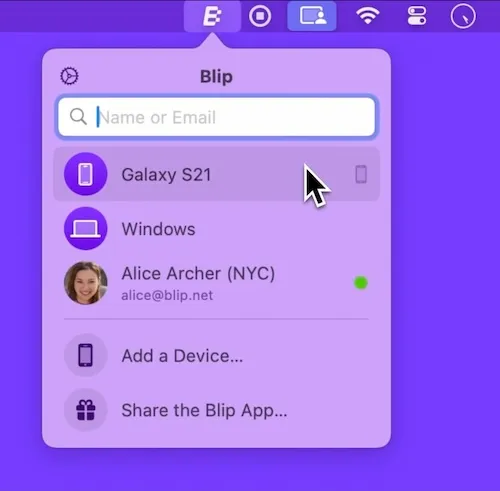
A menu-bar app that beams files device-to-device the way AirDrop does, except the other end can be a ThinkPad, an Android phone, or a Linux box. Direct, end-to-end, no Blip server in the middle, no size cap.
AirDrop’s whole appeal is the click-once-and-it’s-there workflow — and its whole limitation is that it stops at the edge of the Apple ecosystem. The moment the person you’re sending to has a Windows laptop or a Pixel, you fall back to Dropbox links, WeTransfer expirations, or the indignity of email attachments. Blip exists in that gap.
The Mac client is a menu-bar item. Click the Blip glyph and the dropdown shows every device you’ve paired — your own iPhone, a friend’s Pixel, a colleague’s Windows machine — alongside any contact you’ve shared with by email. Drop a file onto a row and it streams directly between the two devices. Same Wi-Fi gets a fast LAN path; across the internet, traffic is end-to-end encrypted and never touches Blip’s servers. There is no size limit, which is the line that matters once you’re moving raw video or a folder of design source files.
The cross-platform reach is the whole point: native clients on macOS, Windows, Linux, iOS, and Android all talk to each other with the same UI metaphor. Authentication is by email — you add a contact once and Blip routes future transfers to whichever of their devices is online. Free for personal use; commercial pricing for business.
Honest limits: the email-as-identity model means the recipient sees your address, which a few users have raised privacy concerns about; large transfers across NAT-restricted networks fall back to a relay rather than a true direct path, with the throughput hit that implies; and there’s no shared-folder or asynchronous “send to inbox” mode — both ends need to be online during the transfer (with auto-resume if a side drops). For the AirDrop-with-Windows job it was built for, none of that gets in the way.