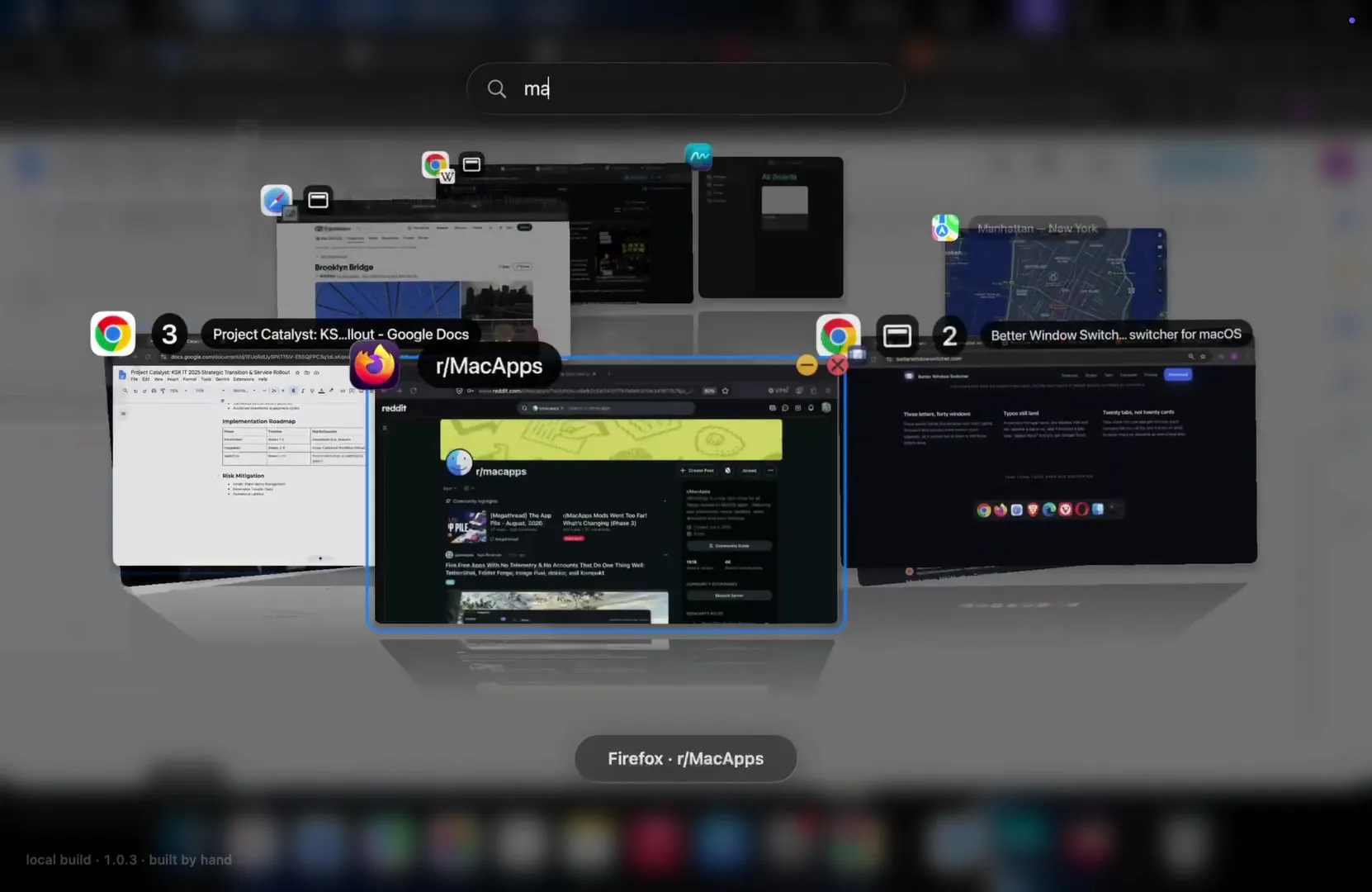
Cmd-Tab switches apps, AltTab switches windows — Better Window Switcher switches to the exact browser tab you mean, found by typing what’s on the page rather than what the window is called.
Better Window Switcher lays every open window, and every open browser tab, out as a 3D card you search or orbit through with the trackpad. It comes from KSK IT, a three-person German shop — Quentin Kammann, Julien Schweter, and Niklas Kania — and Schweter’s Show HN post traces it to Compiz, the 2000s Linux effect that spun windows around a cube. He missed that cube, and missed reaching one browser tab without hunting through its app, so he built both in one shortcut.
Cmd-Tab moves between apps and hands you whichever window you used last, so a Chrome window with four tabs is one icon and landing on it still leaves you searching. AltTab already fixed the window half, free: hold Option-Tab and every window — minimized, other Spaces included — appears as a flat thumbnail. It doesn’t treat a browser tab as more than part of one window, though, and its search sits behind a separate Pro purchase. Here, every tab gets its own card wearing the icon of the site it’s on, and search, included from first launch, matches the page behind a tab, not just the window title.
Press the shortcut and the cards spring into one of seven real 3D arrangements — Cover Arc, Carousel, Ring, Flip 3D, Panorama, Grid, or a flat 2D Row. Press space and start typing: fuzzy search forgives typos, so “giggle docs” still finds a Google Doc, and a browser’s twenty tabs stack into one pile per window. A video keeps playing on the card you’re looking at instead of freezing into a screenshot.
What it sees of your windows “never leaves your Mac”, in the privacy page’s words: no account, no telemetry, and the only calls home are for the licence and an update check. Its two permissions, Accessibility to focus the window and Screen Recording to draw the pictures, are revocable any time; capture isn’t purely on-demand, though — there is one warm-up pass right after launch. Private-browsing windows get four settings, from shown normally to left out entirely.
The costs are real: Apple Silicon and Sonoma only, English only, sold directly rather than through the sandboxed Mac App Store, though notarized, and priced — $12.99 through September 24, $19.99 one-time after, for two Macs — where AltTab is free and open source. The app itself is a month old, not a day: version 1.0.0 shipped August 20, and four point releases since have fixed real bugs, including Firefox tabs and full-screen video glitches. What is a day old is the Show HN post: zero comments, two points — the only outside read so far is a handful of brief reactions on r/macapps.